You booked a drone operator. Now what do you actually shoot?
Most vacation rental drone footage falls into one of two categories: a generic overhead shot that could be any property anywhere, or a long meandering flyover that doesn’t tell a story. Neither converts browsers into bookings.
Knowing which five shots actually move the needle makes the difference.
1. The Proximity Reveal
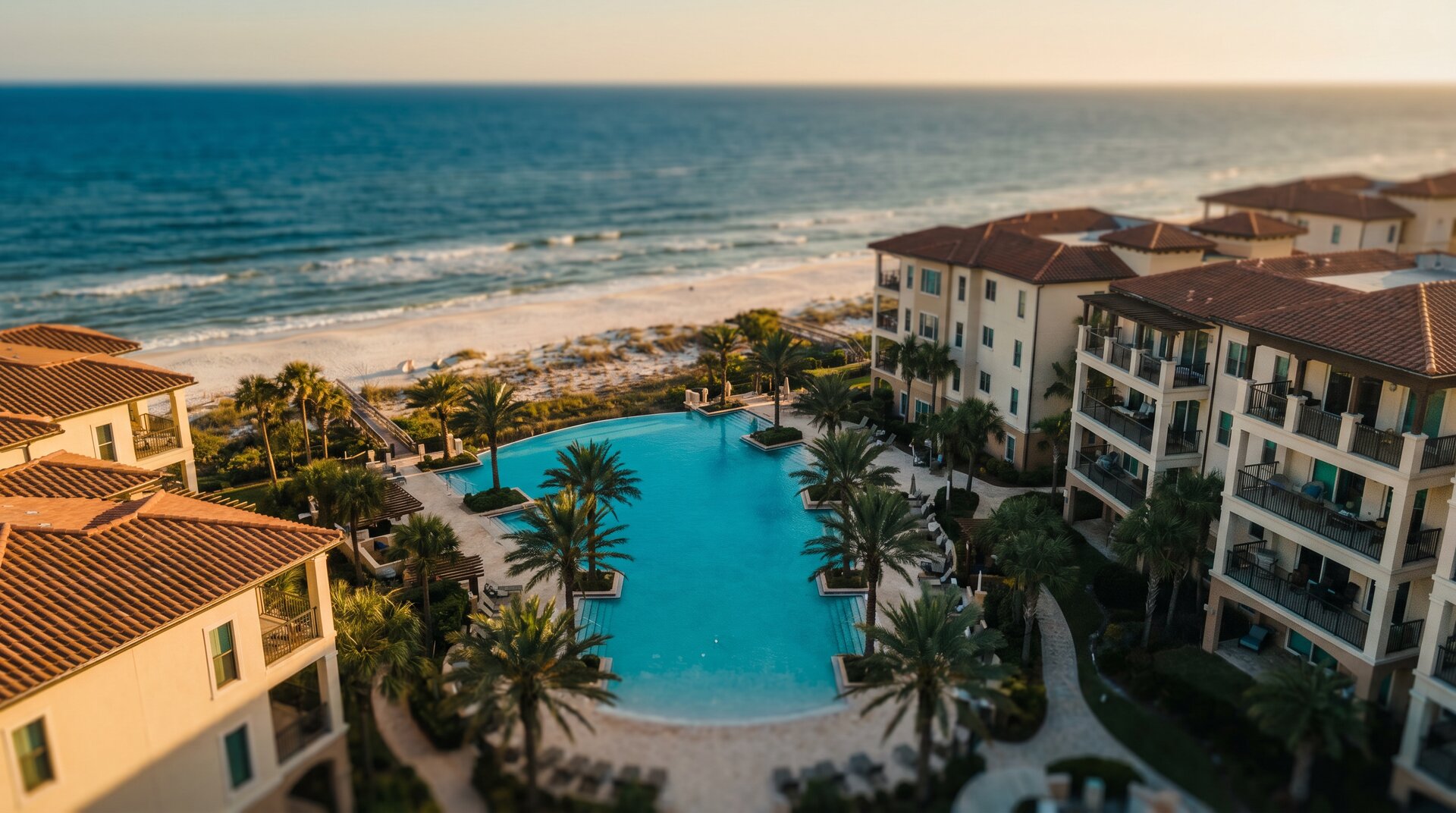
Start the drone low and behind the property, rise above the roofline, and push forward to reveal the beach, lake, or attraction in the background.
Why it works: This is the shot that answers the question every guest asks before booking: how close is it actually? A listing description that says “steps from the beach” is copy nobody believes. A 10-second aerial that shows the turquoise water 200 feet past the back deck is a booking tool.
Time it for golden hour when the water catches the light. Start tight enough that the property fills the frame, then let the reveal breathe. Don’t rush the push forward. The moment the water appears on the horizon is the money frame.
Best for: Beachfront and waterfront properties, properties near attractions, mountain view cabins.
2. The Descending Interior Lead-In
Begin high and wide with an aerial of the property exterior, then slowly descend and push toward the front door, ending right at the entrance as if the drone is walking in.
Why it works: It creates a visual handoff from the aerial to the interior walkthrough, establishing context before the guest ever sees a room. Used as the opening of a listing video, it tells the full story: the property’s setting, what surrounds it, then inside.
Keep the descent slow and smooth. The temptation is to move fast. Resist it. The guest needs time to take in the setting before the cut to interior. Land the drone perspective right at door height.
Best for: Any property with a strong exterior or interesting approach: wooded lots, beachfront, mountain settings.
3. The Pool and Amenity Orbit
A slow, low orbit around a primary amenity (pool, hot tub, fire pit, outdoor kitchen) at 15–25 feet of altitude, circling the feature while showing the surrounding outdoor space.
Why it works: Amenities drive booking decisions more than almost anything else. A guest choosing between two similar properties will pick the one whose pool looks more inviting every time. Ground-level pool photos show the water. A low drone orbit shows the water, the deck, the outdoor furniture, the view from the pool. The whole experience.
Fly slower than you think you need to. Fast orbits look amateurish and don’t let the viewer absorb the space. Keep altitude consistent and let the amenity fill the frame rather than shooting from too high.
Best for: Properties with pools, hot tubs, outdoor kitchens, docks, fire features.
4. The Neighborhood Context Shot
A high, wide aerial (200 to 300 feet) that shows the property in its full neighborhood context. Beach access, nearby restaurants, the layout of the surrounding area.
Why it works: Guests research neighborhoods before they book properties. A high wide shot that shows your property relative to the beach access point, the strip of restaurants two blocks over, and the quiet residential street it sits on answers questions no listing description can. A property that looks small in ground photos often reveals a generous footprint from above.
Shoot this one earlier in the morning or later in the evening when shadows are long and the light is directional. Midday light flattens everything. You want the neighborhood to look as interesting as the property.
Best for: Every property. This shot belongs in every listing video and most property social content.
5. The Sunset Static
Not a moving shot at all. A stationary hover at 50–80 feet with the property in the lower third of the frame and the sky filling the rest, held for 15–20 seconds as the sunset develops behind it.
Why it works: It’s the emotional close. After you’ve shown proximity, amenities, and context, this shot sells the feeling of being there at the best possible moment of the day. It doesn’t need to move. It doesn’t need music. It just needs to be timed right and held long enough to let the guest imagine themselves on that deck with a drink in their hand.
Scout the angle two hours before sunset so you know exactly where to position the drone. The shot only works if the property is oriented correctly relative to the setting sun. Check in advance. Shoot in log or flat color profile if your drone supports it so you have latitude in post to bring out the sky.
Best for: Any Gulf Coast property. The Emerald Coast sunsets do the work for you.
Putting It Together
These five shots (proximity reveal, descending lead-in, amenity orbit, neighborhood context, and sunset static) give you everything you need for a complete 60–90 second listing video and a month of social media content from a single shoot day.
If you’re managing an STR on the Gulf Coast or in Georgia and you’re ready to stop competing with phone photos, reach out for a free content quote or call us at 678-800-1216.
NearDrone serves STR property managers across Panama City Beach, Canton, GA, and Tifton, GA. FAA Part 107 certified.